


How to Calculate Your Real DEGIRO Return (YoY vs MWRR)
If you keep adding money to your DEGIRO account, a single return percentage is misleading: new deposits make your return look smaller, and withdrawals make it look bigger. To see your real yearly return, upload your DEGIRO CSV to Invest Tracker and switch the Profits Over Time chart between YoY and MWRR. Both show a return per calendar year instead of one number over everything you ever deposited, and MWRR also weighs each deposit by the moment you made it.
Why one percentage is not enough
Say you invest €10,000 on 1 January and your shares grow to €11,000 by December. That is a 10% return. Now you deposit another €10,000 on 1 December and buy more shares. Your profit is still €1,000, but as a percentage of the €20,000 you now have invested it looks like only 5%. Nothing went worse; you simply added money late in the year.
The opposite happens when you withdraw money: the same profit divided by a smaller amount looks like a better return. A fair return has to take the timing and size of your deposits and withdrawals into account.
YoY and MWRR in short
- YoY (Year over Year): the profit you made during a calendar year, as a percentage of your portfolio value at the start of that year. In a year in which you started from (almost) nothing, Invest Tracker uses the highest portfolio value of that year instead, so a tiny starting amount does not produce a meaningless 300%.
- MWRR (Money-Weighted Rate of Return): the return of your money in a calendar year, weighted by when and how much money went in and out. Money that was invested for the whole year counts fully; money you added in December counts for only one month. This is your personal return.
Step-by-step
Step 1: Export and upload your DEGIRO CSV
Export your full account statement as a CSV (how to export it) and drop it into Invest Tracker. Make sure the export starts before your first deposit, otherwise the first years are incomplete.
Step 2: Choose YoY or MWRR
In the top-left corner of the Profits Over Time chart you find the YoY and MWRR buttons. The percentage for each year appears at the bottom of the chart, just above the year number.
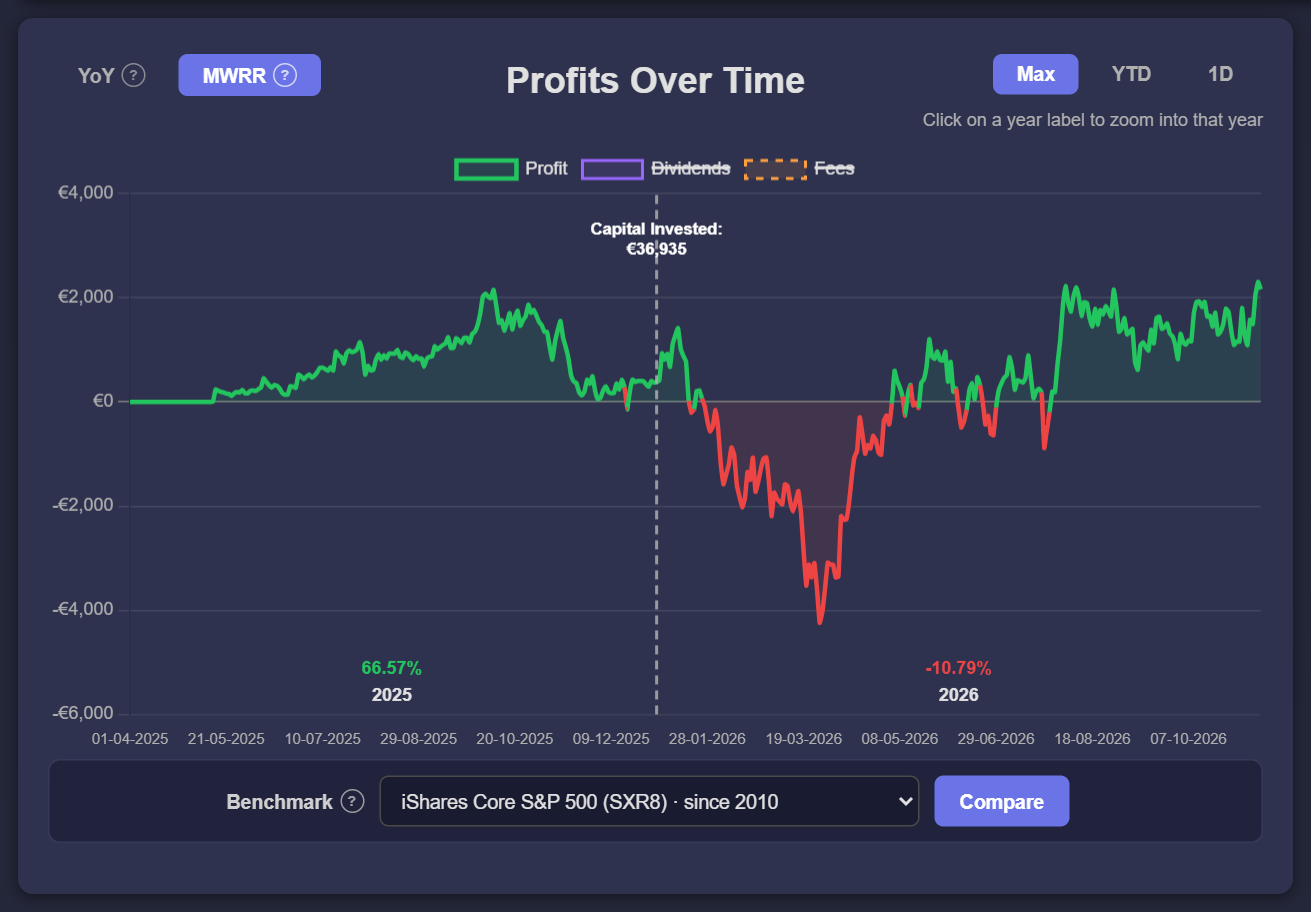
Step 3: Zoom into one year
Click a year number in the chart, or choose YTD for the current year, to see how that year went day by day. Max takes you back to your full history.
Which one should you use?
- Use MWRR to answer "how did my own money do this year?", especially if you deposit at irregular moments or in large amounts.
- Use YoY for a quick comparison between years when your deposits are small compared to your portfolio.
- Comparing with the market? Fund fact sheets show a time-weighted return, which ignores deposits completely. Instead of comparing percentages, use the benchmark comparison: it replays your real deposits against an index ETF, so both lines use the same money at the same moments.
See your real yearly return
Free and no account required. Without an account, your data stays in your browser.
Upload your DEGIRO CSVFrequently asked
Why are YoY and MWRR different?
They answer slightly different questions. YoY divides the profit of the year by one starting value; MWRR weighs every deposit and withdrawal by how long it was invested. The more money you move during the year, the bigger the difference.
Why is my return different from what DEGIRO shows?
Brokers often show profit in euros or a percentage over what you currently have invested. Invest Tracker calculates the return per calendar year from your own CSV, including dividends and minus fees, so the numbers can differ.
Invest Tracker is an independent tool and is not affiliated with DEGIRO. Returns are calculated from your own CSV export, may differ from DEGIRO's own reporting, and are for information only, not financial advice. Past performance does not guarantee future results.