


How to Export Your Trades from DEGIRO (CSV)
To export your trades from DEGIRO, sign in on a computer (not the app), open the Inbox, choose Account statement, set a date range that covers all your transactions, click Export and pick CSV. The whole thing takes about a minute, and the CSV holds your complete transaction history.
DEGIRO does not offer a one-click portfolio export, but the Account statement contains every buy, sell, dividend and fee on your account. Once you have that CSV file you can upload it to a portfolio tracker to instantly see your holdings, profit/loss, dividends and performance. Here is exactly how to get it.
Before you start
- Use the desktop website (trader.degiro.nl), because the mobile app cannot export a CSV.
- Choose a date range that reaches back to your very first transaction so nothing is missing.
- The file downloads as
Account.csv(or similar) to your normal downloads folder.
Step-by-step
Step 1: Open the Account statement
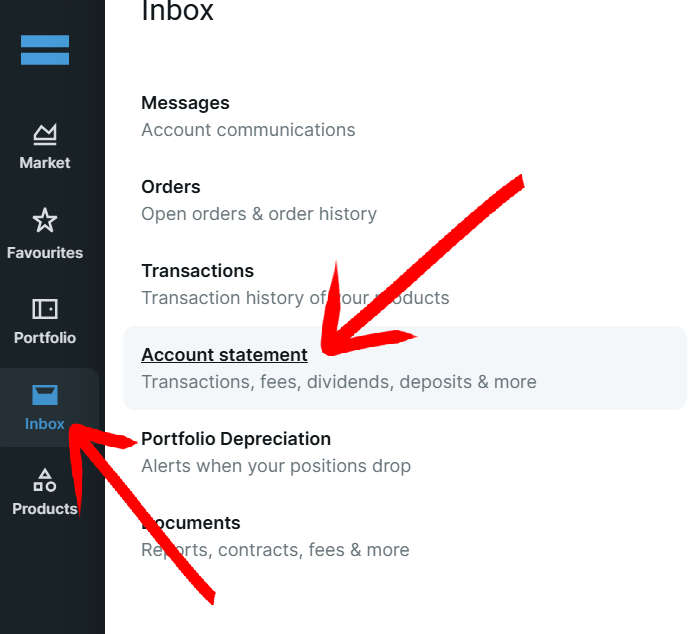
Sign in to DEGIRO on your computer. Hover over the Inbox icon in the menu sidebar on the left and click Account statement.
Step 2: Select the date range
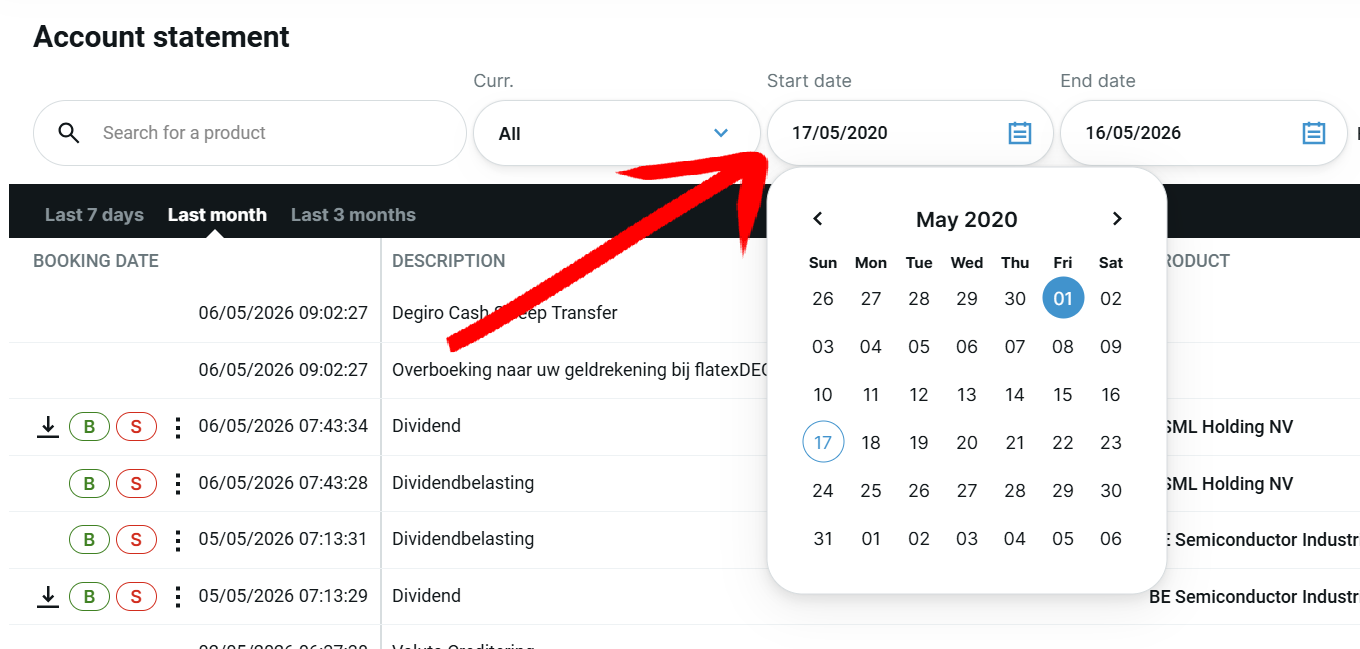
On the Account statement page, set the date range so it contains all your transactions, from the day you opened the account up to today.
Step 3: Click Export
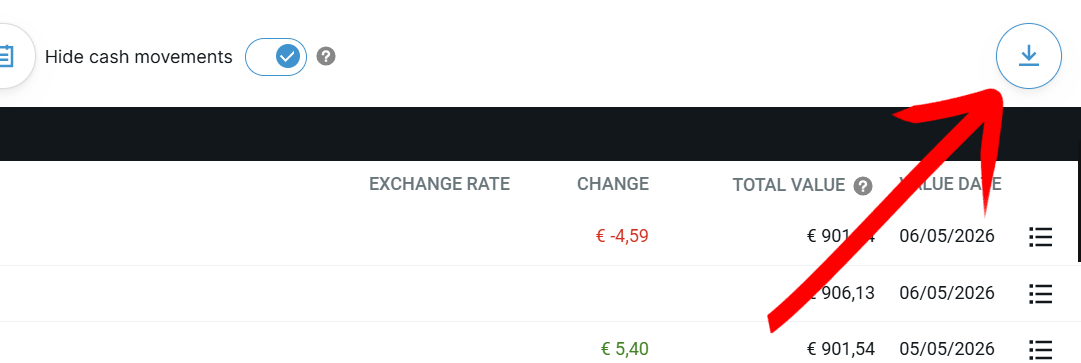
Click the Export button on the right side of the screen.
Step 4: Choose CSV
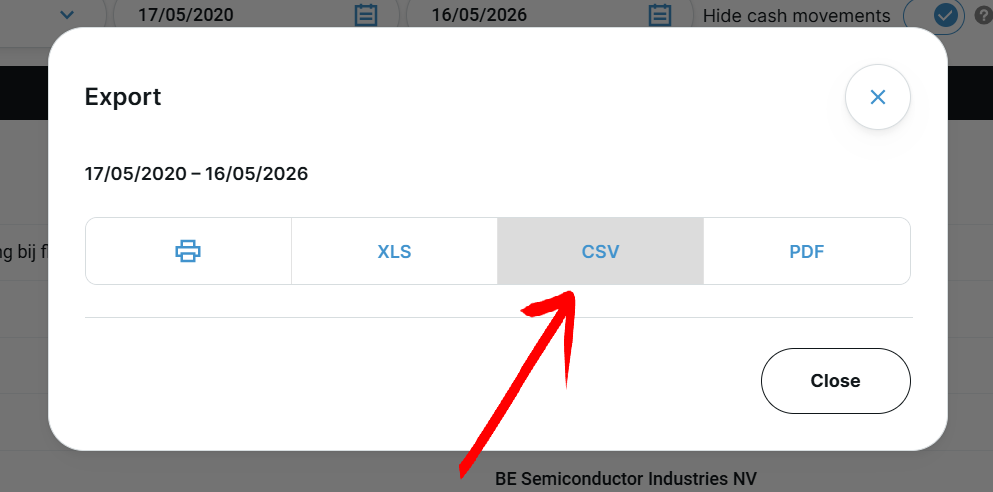
Choose CSV to download the file. Save it somewhere you can find it again.
Step 5: Upload it to your tracker
Open Invest Tracker and drop the CSV onto the upload zone at the top of the page. Your holdings, profit/loss, dividends and performance charts appear instantly, no account needed and your data stays in your browser.
Turn that CSV into a live dashboard
Free, no account required, and your data never leaves your browser.
Upload your DEGIRO CSVFrequently asked
Can I export from the DEGIRO app?
No. The CSV export is only available on the desktop website. Open trader.degiro.nl in a browser and follow the steps above.
Which date range should I pick?
Start from the day you opened your DEGIRO account (or earlier) so the file includes every transaction. A partial range means missing trades and an incomplete portfolio. If you are not sure when your first transaction was, just pick a start date far back in time. Going back further than needed does not hurt, it simply makes sure nothing is left out.
Is the CSV safe to upload?
In Invest Tracker the file is processed in your browser. No personally identifiable information is stored, and you stay in control of your data.