
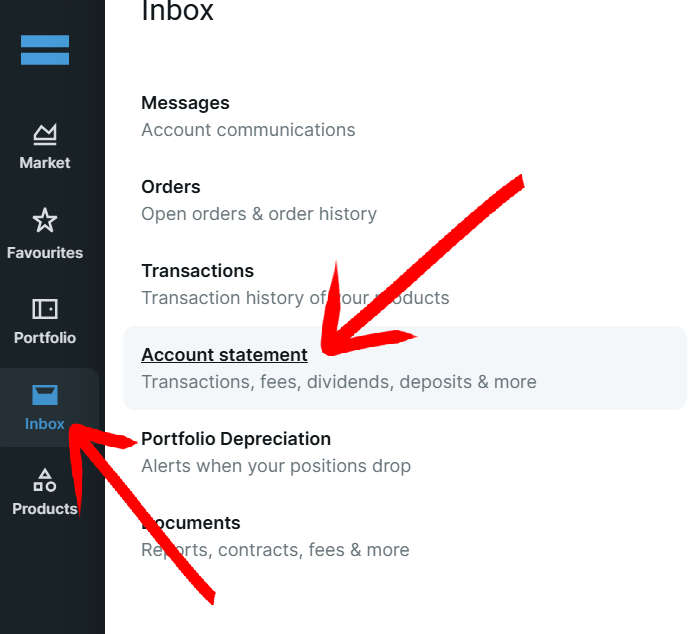
Sign in to DEGIRO on your computer (not the app). Hover over the "Inbox" icon in the menu sidebar on the left and click on "Account statement".
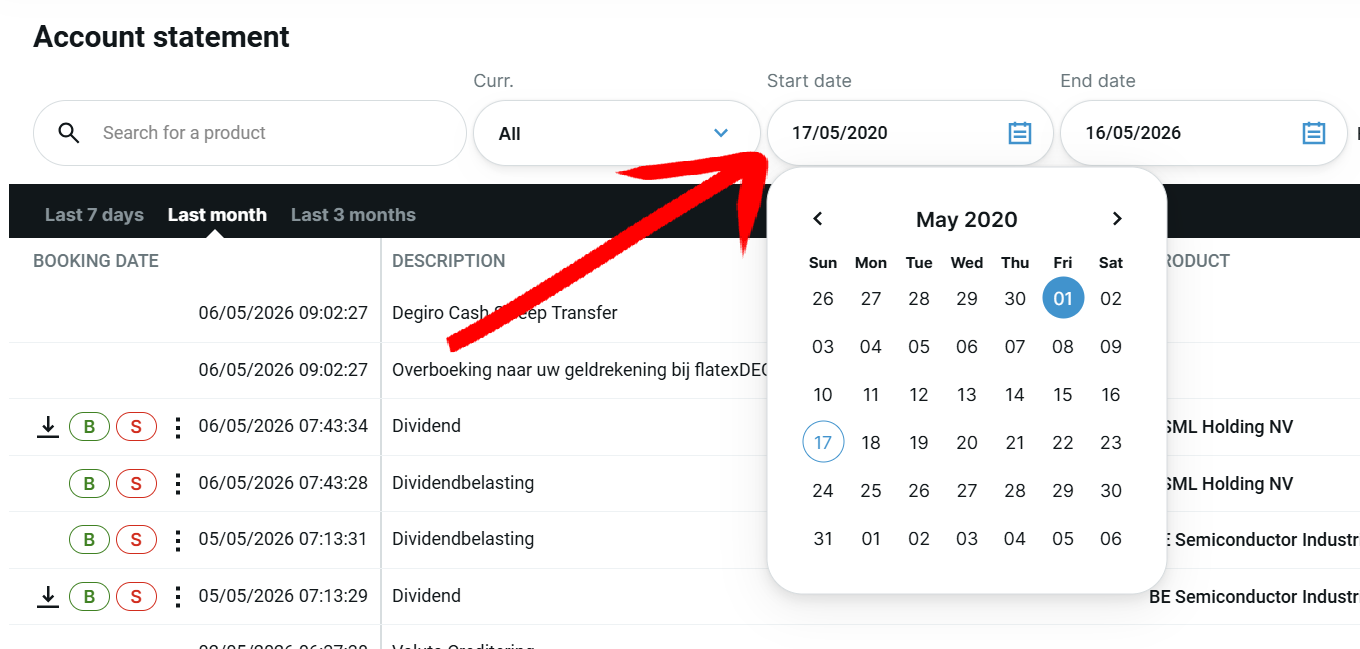
On the account statement page, select the date range so that it contains all your transactions.
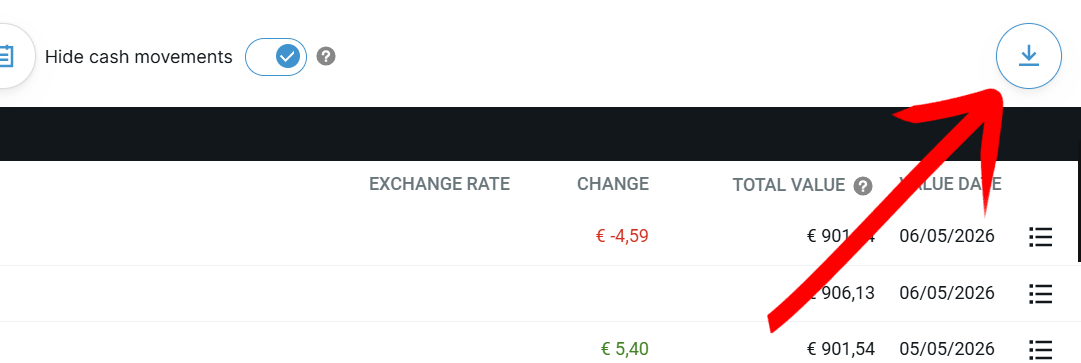
Click on the "Export" button on the right side of the screen.
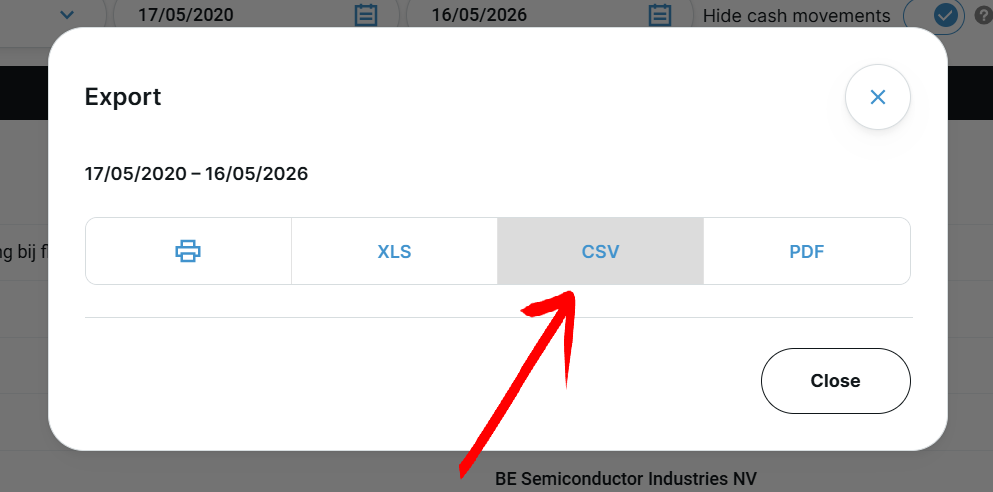
Click on "CSV" to export the trades as a CSV file and save it.
Upload the exported file to Invest Tracker using the drop zone at the top of this page.
Most portfolio trackers lock their best features behind a paywall, so I built my own, free and open, with all the insights you'd normally have to pay for.
Here you get:
No account needed, no limitations.
Your privacy comes first: your data stays in your browser and no personally identifiable information is ever saved.
Curious what it looks like? Hit the Preview button to see the app in action with sample data!
Yes. Invest Tracker is 100% free with no paywall. Every feature is available at no cost, including profit/loss tracking, dividend overviews, allocation charts and performance metrics. Some features, such as adding manual transactions, adding notes and the AI assistant, require a free account, but there is never anything to pay.
No account is needed to get started. You can upload your DEGIRO CSV and instantly see your holdings, profit and loss, dividend income, portfolio allocation and performance charts without signing up. A free account unlocks the extra features, including adding manual transactions, adding notes and the AI assistant, and it also saves your portfolio so you do not have to re-upload the CSV each time.
Privacy comes first. Your portfolio data is processed in your browser and no personally identifiable information is saved. You stay in control of your data.
Yes. Invest Tracker shows your dividend income per stock and includes a dedicated Dividend Income view with a per-month breakdown and a 5-year trend, converted to euros using historical exchange rates.
Yes. Invest Tracker has a free built-in AI assistant that can analyse your portfolio; it only requires a free account. Once your portfolio is loaded you can ask whether it is well diversified, what the biggest risks are, what kind of investor you are, and what is happening with your biggest movers today. The AI answers are for information and education only and are not financial advice.
Yes. Invest Tracker has a benchmark comparison on the Profits Over Time chart. It replays your real buy and sell moments and amounts against an index ETF's historical prices, for example iShares Core MSCI World (IWDA), Vanguard FTSE All-World (VWCE), the S&P 500 or Nasdaq 100, for a fair, timing-matched what-if. The benchmark ETFs are accumulating and priced in euros, so dividends are already included.
Yes. Invest Tracker is a fully responsive web app, so it works on your phone, tablet and desktop in any modern browser, with no app to install. On mobile you get the same features in a layout optimised for smaller screens.
In DEGIRO on desktop, open the Inbox and choose Account statement, select a date range that covers all your transactions, click Export and choose CSV. Then upload that CSV file to Invest Tracker to build your portfolio dashboard.
Invest Tracker is a free, web-based portfolio and dividend tracker built specifically for DEGIRO. Export your account statement as a CSV from DEGIRO and upload it to instantly see your holdings, profit and loss, dividend income, portfolio allocation and performance charts. It is completely free with no paywalled features, works without an account, and your data stays in your browser.
| Ticker | Company Name | Quantity | Avg. Cost (EUR) | Current Price (EUR) | Current Value (EUR) | Total Dividends (EUR) | Today's P/L (EUR) Excl Dividends | Today P/L (%) Excl Dividends | Notes |
|---|