


How Diversified Is Your DEGIRO Portfolio?
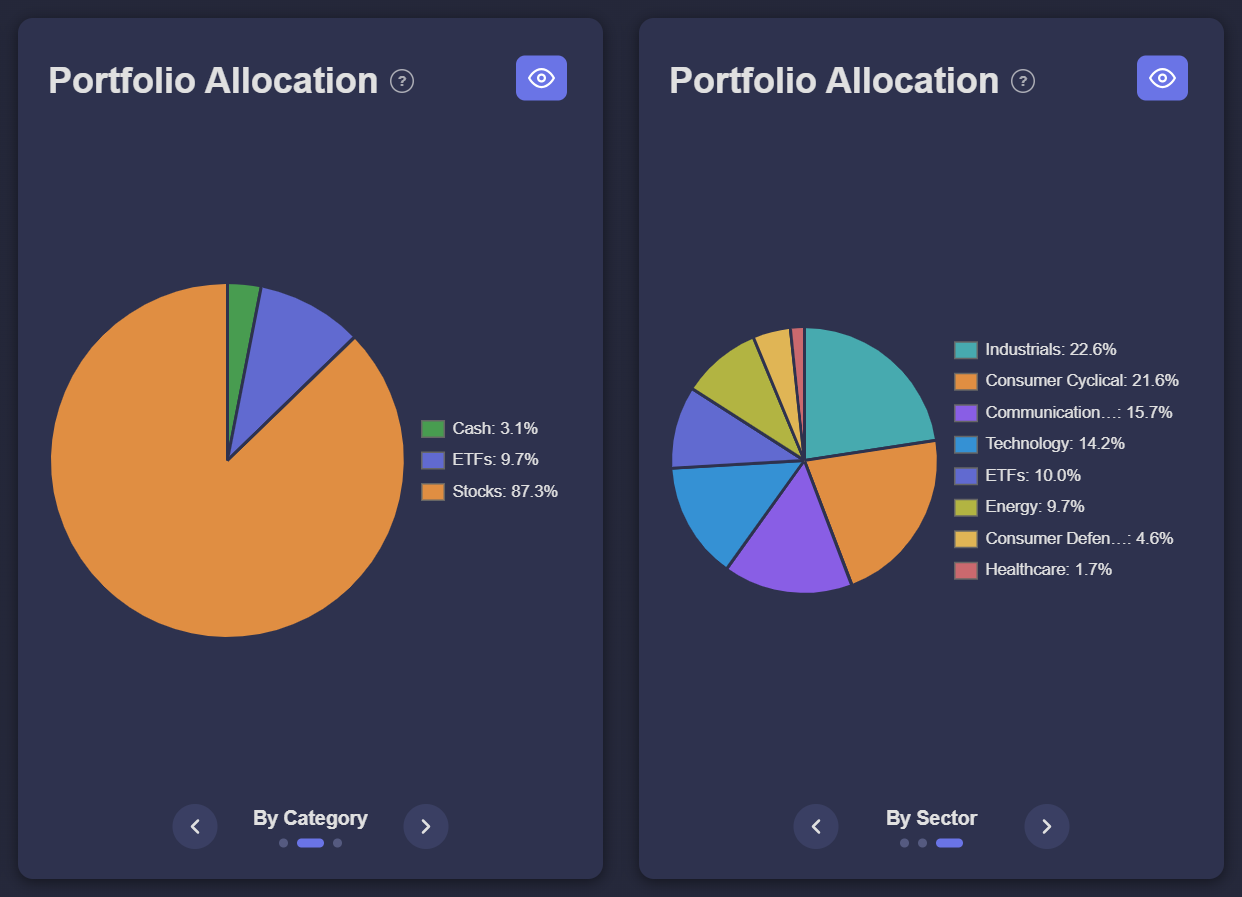
DEGIRO lists your positions one by one, but it does not show how your money is spread. Upload your DEGIRO CSV to Invest Tracker and open the Portfolio Allocation chart. With the arrows below the chart you switch between three views: per position, per category (stocks, ETFs and cash) and per sector.
Step-by-step
Step 1: Export and upload your DEGIRO CSV
Export your account statement as a CSV (how to export it) and drop it into Invest Tracker.
Step 2: Open Portfolio Allocation
You find the chart next to Portfolio Value Over Time. If it is hidden, click the eye button to show it. Hover over a slice to see its current value in euros.
Step 3: Switch between the three views
- By Holding: one slice per position, sorted by the amount you invested in it.
- By Category: your portfolio split into stocks, ETFs and cash.
- By Sector: your individual stocks grouped by sector, such as technology, industrials or healthcare. ETFs are shown as one slice, because a broad ETF already spreads your money over many sectors.
What to look out for
- One position that dominates. If a single stock is a large part of your portfolio, one bad quarter for that company has a big effect on your total.
- One sector that dominates. Ten different tech stocks still move together when the tech sector falls. The sector view shows this at a glance.
- Overlap with your ETF. A world ETF already holds large companies like Apple, Microsoft and Nvidia. Buying them separately on top of the ETF increases your exposure to those companies.
- Cash that is not invested. The category view shows how much of your account is cash. That can be a deliberate buffer, or money you meant to invest.
There is no single right answer: how much spread you want depends on your goals and how much risk you accept. The charts help you see where you stand, so you can make that choice consciously.
See how your portfolio is spread
Free and no account required. Without an account, your data stays in your browser.
Upload your DEGIRO CSVFrequently asked
Where does the sector information come from?
The sector of each stock is looked up in public market data the first time it is needed and then kept, so later visits load faster. A stock without known sector data is shown under Other.
Why are my ETFs not split into sectors?
An ETF holds hundreds or thousands of companies at once, so it is shown as a single slice. Check the fact sheet of your ETF to see its own sector split.
Invest Tracker is an independent tool and is not affiliated with DEGIRO. The allocation is calculated from your own CSV export and market data and is for information only, not financial advice.