


How to Track Your DEGIRO Dividends
DEGIRO records every dividend in your account statement, but it has no clear dividend overview. The quickest way to track your DEGIRO dividends is to export your account statement as a CSV and upload it to a portfolio tracker that groups the payouts per stock, per month and over multiple years, automatically converted to euros.
If you rely on dividend income, you want to know how much each holding pays, which months are strong, and whether your passive income is growing year over year. DEGIRO's platform makes that surprisingly hard to see. Here is how to get a proper overview.
Why DEGIRO's own dividend view falls short
- Dividends are scattered through the account statement between all your other transactions.
- Payments in foreign currencies (USD, GBP, etc.) are not shown as a single euro total.
- There is no per-month breakdown and no multi-year trend to see if your income is growing.
- Dividend tax withheld is listed as separate lines, making the net amount hard to total.
Step-by-step
Step 1: Export your DEGIRO CSV
On the DEGIRO desktop website, open the Inbox → Account statement, pick a date range covering all your history, and export to CSV. Full walkthrough: How to Export Your Trades from DEGIRO.
Step 2: Upload it to Invest Tracker
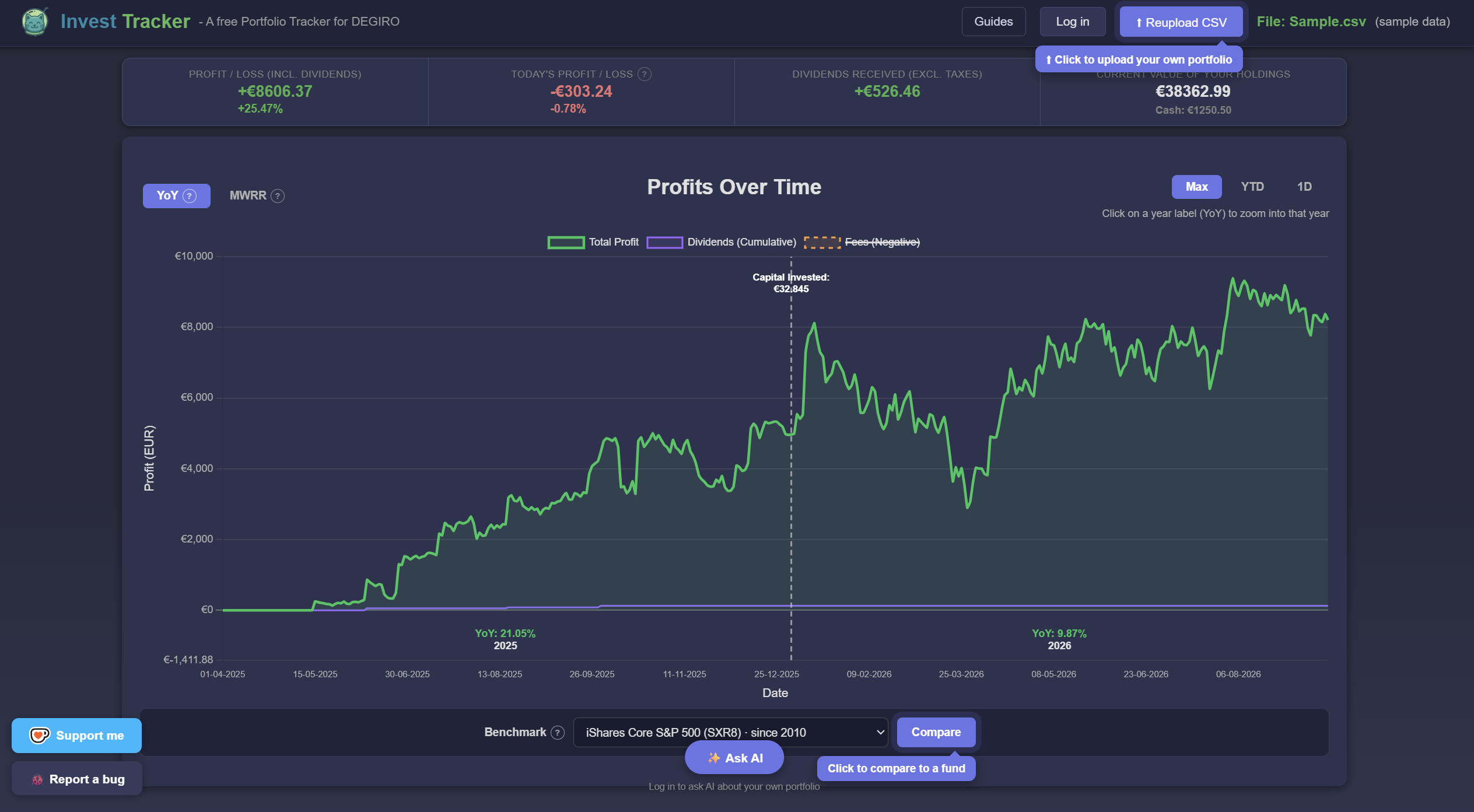
Open Invest Tracker and drop the CSV onto the upload zone. Every dividend, fee and trade in the file is read automatically, no account required.
Step 3: Open the Dividend Income view
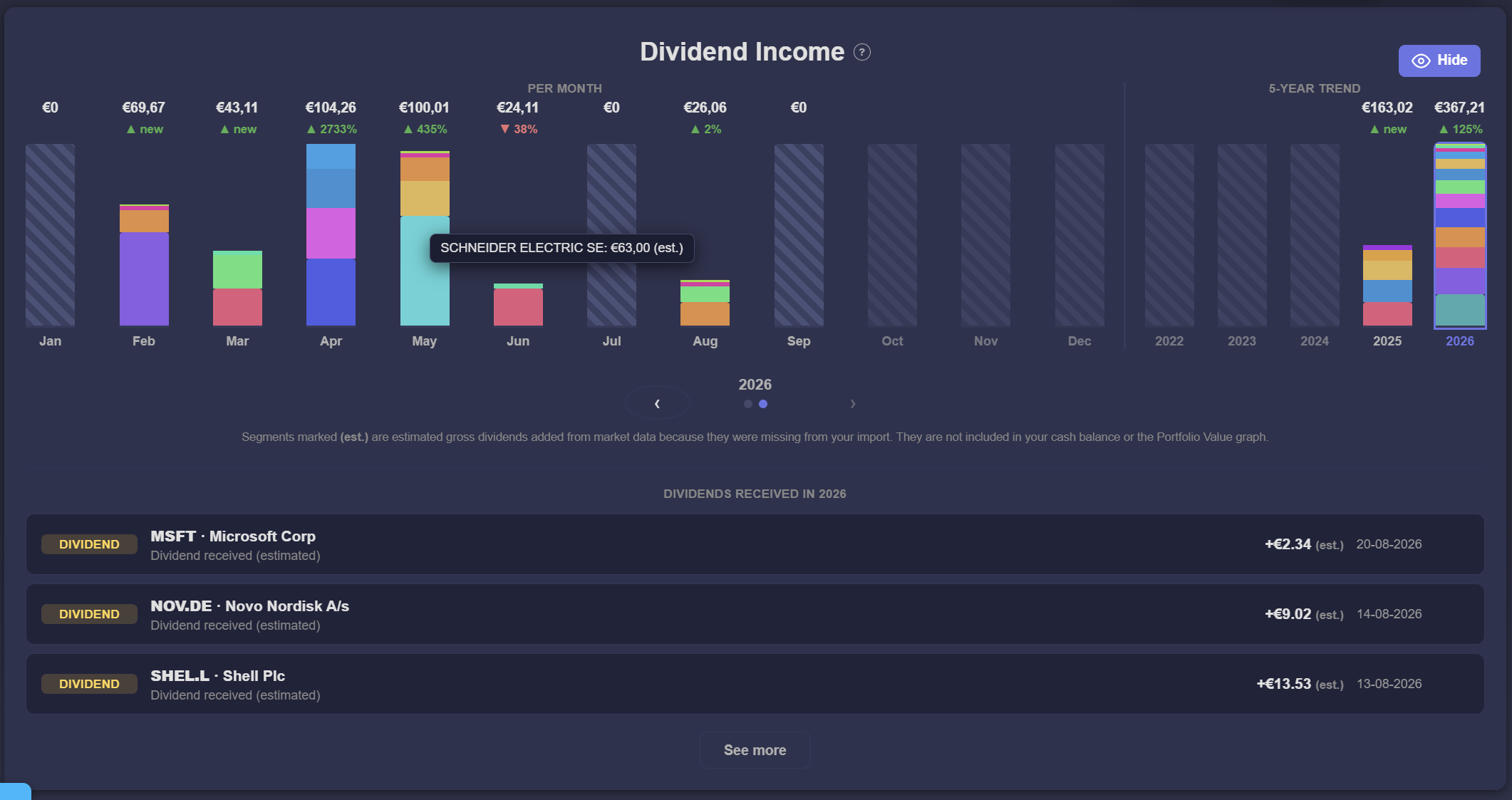
Switch to the Dividend Income view. You get your dividends grouped per stock, a per-month breakdown, and a 5-year trend, all converted to euros using historical exchange rates so foreign payouts are counted correctly.
What you can see once it is loaded
- Income per holding: which stocks actually pay you, and how much.
- Monthly calendar: spot your strong and weak dividend months.
- Yearly trend: see whether your passive income is growing over time.
- Euro totals: foreign-currency dividends converted with historical FX rates.
See your full dividend history in seconds
Free, no account required, and your data stays in your browser.
Upload your DEGIRO CSVInvest Tracker is an independent tool and is not affiliated with DEGIRO. Dividend figures are calculated from your own CSV export and are for information only, not financial advice.